
A complete progressive lens order starts with a clear distinction: are you requesting a product quotation for your range, or sending an individual job to a laboratory? The first needs a defined lens configuration and commercial requirements. The second may also need wearer-specific information supplied and checked by the dispensing professional, according to the chosen design and laboratory’s ordering rules.
For progressive lens ordering, keep product selection, wearer data, frame information, and approval status in separate fields. Name the person responsible for each missing item. A blank field should prompt a question, not an undocumented assumption.
This guide is for optical distributors, eyewear brands, and laboratory purchasing teams. It covers the information handoff. It does not explain how to measure a wearer, choose a prescription, or decide which progressive design is clinically appropriate.
Publisher disclosure: LensPT is the optical lens supplier responsible for this article. No other commercial partnership is associated with its publication. The guidance combines public manufacturer documentation with an original administrative checklist; no physical lens tests, patient measurements, or production-order trials were performed for this article.
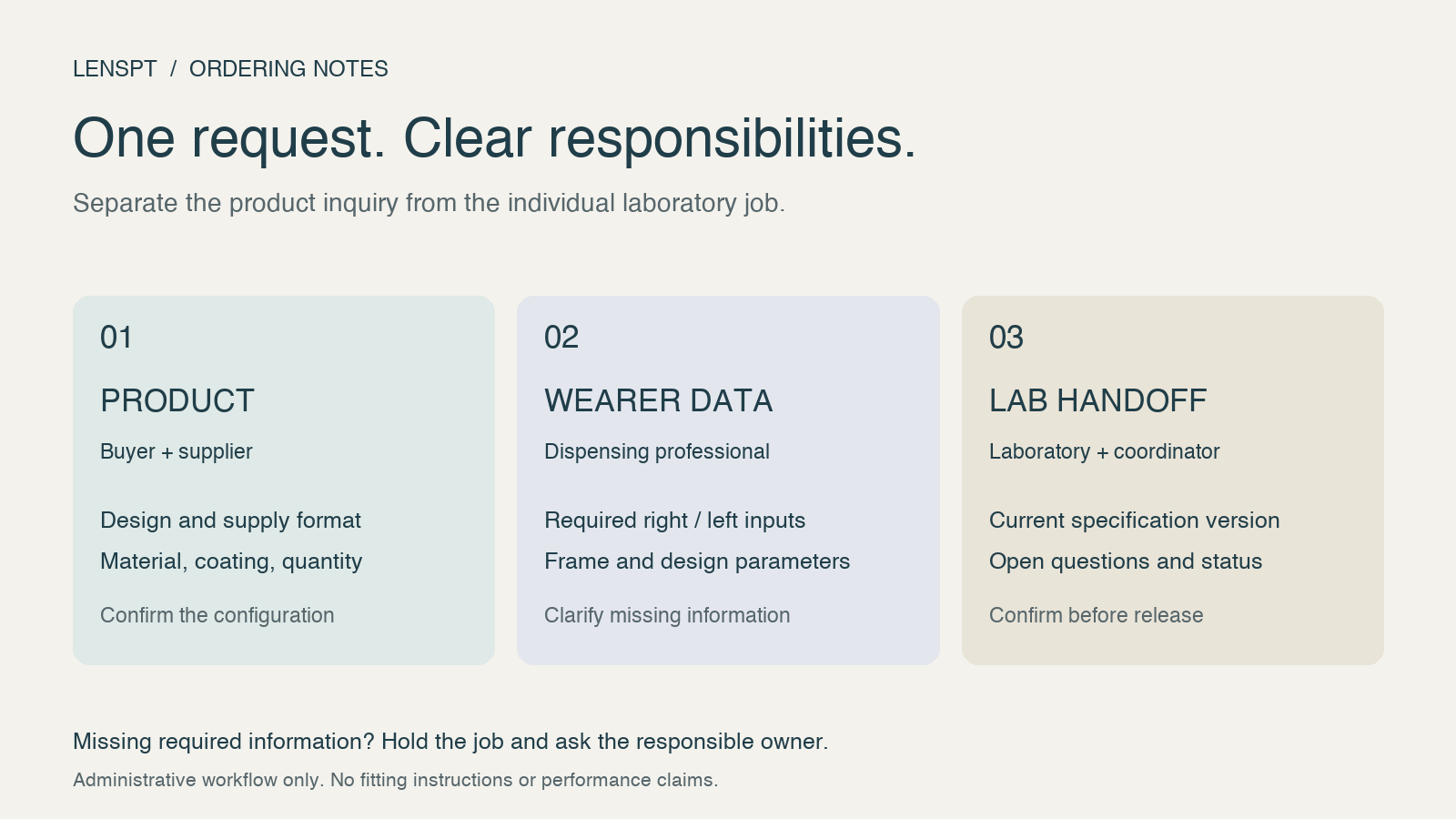
Original workflow illustration. It shows information responsibilities, not a lens fitting method or optical performance result.
Start with the type of request
An assortment inquiry and an individual laboratory job can refer to the same product family while requiring different information. Use the first line of your request to identify which one you are sending.
For an assortment or bulk-supply inquiry, specify the product route, design, material or nominal index, coating, diameter, quantity, packaging, and destination market. Ask which supply formats and design options the supplier supports. Do not assume that a product listing includes a particular prescription-processing or edging service.
LensPT’s progressive lens range includes clear, polycarbonate, blue-cut, and blue-cut photochromic gray options. Its quotation guidance asks buyers to identify the product configuration and commercial requirements. These pages help start the supply discussion; the details still need confirmation for the intended order.
For an individual laboratory job, obtain the receiving lab’s current order specification. Establish which wearer and frame fields it requires for that design, who supplies them, and how the lab handles omissions. Clinical measurements and decisions belong with the qualified dispensing professional. A purchasing team can track whether those inputs are present without inventing or interpreting them.
Identify the design before discussing its parameters
“Progressive lens” is a category description. Put the supplier’s product code, design name, and relevant specification revision on the request. Then record the selected material and treatment options against that same identifier.
For example, LensPT’s PC progressive lenses page identifies nominal 1.59 polycarbonate and lists progressive design, corridor length, diameter, coating, quantity, and packaging among the order requirements. It does not establish a universal fitting-height rule or a complete individual prescription-order interface.
When a quotation changes, check which part of the specification changed with it. A different design name or coating option should be visible in the revision record. Avoid approving a price against one configuration and then attaching order data labeled with another.
This also helps with repeat inquiries. Instead of asking for “the same progressive lens,” refer to the previously agreed product code and revision, and ask the supplier to confirm whether the specification remains available.
Keep fitting height and corridor selection separate
Progressive lens fitting height and progressive lens corridor length should have separate labels on the order record. One describes wearer-and-frame fitting information; the other identifies a design parameter or selection. Treating them as interchangeable hides which information was actually supplied.
HOYA’s explanation of corridor selection distinguishes fixed and variable choices. It explains that its variable selection uses the frame’s B measurement and the wearer’s fitting height. It also describes how corridor length is defined for HOYA designs. Those are product-specific explanations, not evidence that every supplier uses the same definition or algorithm.
Ask the receiving laboratory three questions:
- Does this design require a specified corridor, or can the lab select it from the supplied information?
- Where should that choice be entered in the order system?
- Which current design document governs its interpretation and any minimum fitting-height requirement?
Record the answers beside the design code. Do not copy a minimum height from another manufacturer’s product or convert a fitting height into a corridor value with an assumed offset. If a field label is unclear, have the laboratory and dispensing professional resolve it before releasing the job.
Give wearer and frame information a named owner
For individual jobs, build the order form around the receiving lab’s required inputs. Useful administrative categories include right- and left-eye prescription data, monocular PD, fitting heights, frame identity, and any requested frame trace or dimensional information. This is a way to organize the handoff, not a declaration that one list satisfies every design.
Keep right and left values explicitly labeled. If the order specification calls for monocular PD, do not turn a single combined number into two values without clarification from the professional responsible for the measurements. Likewise, do not substitute a frame dimension for a missing fitting height.
For frame information, record the exact model and size, and agree on the lab’s required trace or file format. Associate the file with the job reference and version. If the frame changes after the information was collected, flag the change for the dispensing professional and laboratory rather than carrying the previous inputs forward automatically.
Design-specific inputs need the same discipline. ZEISS’s progressive lens explanation discusses personalization using frame fit and wearer parameters, including reading distance and wrap angle for a named design. This illustrates why a generic form should leave room for design-specific requirements; it does not make those fields mandatory for every LensPT product.
Where position of wear information is requested, distinguish a supplied measurement from a documented default accepted under the lab’s rules. If a default is permitted, retain its source and the approval decision. An empty cell should not silently become a measured value.
Use a field-owner matrix for the handoff
The following progressive lens order form framework separates the inquiry stage from the individual-job stage. Adapt it to the receiving supplier or laboratory’s specification, and add a status column to your working copy.
| Field group | Who provides or confirms it | What to do if it is incomplete |
|---|---|---|
| Request type: assortment inquiry or individual lab job | Buyer or ordering coordinator | Clarify the stage before assessing completeness |
| Product code, design, and specification revision | Buyer with supplier or laboratory | Confirm the exact configuration |
| Supply format and downstream processing responsibility | Buyer and receiving supplier or lab | Ask which operations are included |
| Material/index, coating, diameter, quantity, and packaging | Buyer with supplier | Complete the product quotation request |
| Right- and left-eye prescription inputs, where required | Qualified dispensing professional | Return the query to the responsible professional |
| Monocular PD and fitting height, where required | Qualified dispensing professional | Hold the individual job; do not infer missing values |
| Frame identity, dimensions, and requested trace | Dispenser with laboratory | Confirm the frame reference and file requirements |
| Fixed or variable corridor selection | Laboratory with dispensing professional | Resolve the selection mode and order-field meaning |
| Design-specific position of wear inputs | Dispensing professional with laboratory | Identify measured inputs and any expressly accepted defaults |
| Version, reviewer, unresolved items, and release status | Ordering coordinator | Keep the current record on hold until required items are resolved |
This original matrix was reviewed through four synthetic administrative scenarios: an assortment inquiry, a job with missing measurements, a frame change, and a completed record submitted for lab confirmation. The exercise checked the routing of questions. It did not validate a fitting method or demonstrate fewer remakes.
Decide whether to clarify, hold, or submit
Use the record to make the next action explicit. The following examples concern missing information, not optical acceptance criteria.
An assortment inquiry has no wearer measurements. It can still be a product inquiry. Label the stage correctly and ask the supplier what is needed to quote the requested range. Do not describe that inquiry as a complete individual lab job.
An individual job is missing a required right- or left-eye value. Put the job on hold and identify the dispensing professional who must clarify it. Do not fill the field from another order, divide a combined value, or assume symmetry.
The frame or design changes after review. Create a revised record and send the change to the laboratory and dispensing professional. Ask which earlier inputs remain valid and which need review. Preserve the superseded version so the history is understandable.
Once all required information is accounted for, submit the record for the laboratory’s confirmation. “Submitted” and “accepted by the lab” should be separate statuses. Neither administrative status replaces professional fitting checks or the supplier’s own technical review.
Send LensPT a configuration-led inquiry
Use this progressive lens ordering checklist to separate what you already know from what you need the supplier to confirm. For a LensPT inquiry, include the intended design or product route, material/index, coating, diameter, quantity, packaging, and destination market. Identify the supply format you are requesting and the processing steps your own laboratory will handle.
If your project requires individual prescription processing, ask whether that service and design are supported and request the relevant order-data specification before sending job information. The public product pages alone should not be treated as confirmation of that service.
Discuss your progressive lens configuration and ordering requirements with LensPT. Include your unresolved design, corridor, and supply-format questions in the same message so the sales team can address them when confirming the quotation scope.