
By LensPT Team · Published November 18, 2026
When comparing single vision vs progressive lenses for an assortment, start with the viewing distances it needs to cover. A single vision lens is prescribed for one viewing purpose, such as distance or near. A progressive lens changes power across its surface to cover distance, intermediate and near zones in one pair. For an optical buyer, the choice also determines which options go on the stock list and what the lab needs to fit each order. ZEISS guide to single vision and progressive lenses
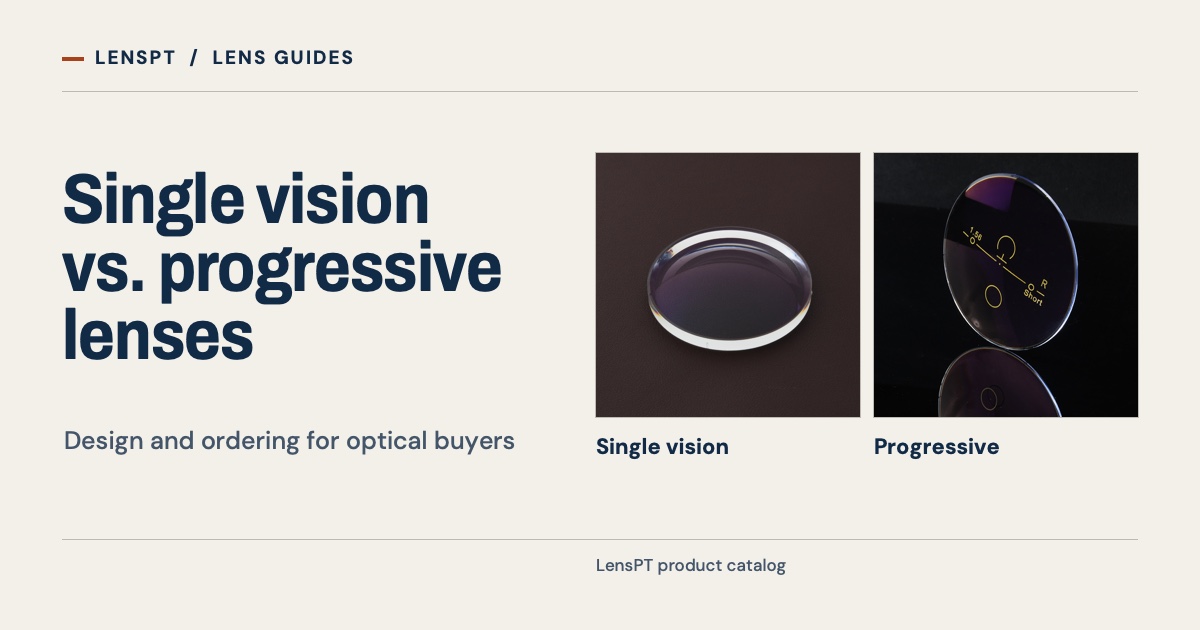
Table of Contents
1. Single vision vs progressive lenses by viewing task
Start with the viewing tasks the range is being purchased to serve. A distributor replenishing distance single vision lenses can organize the range by prescription power and finish. A distributor launching general-purpose progressives needs to plan for changing viewing distances within the same lens and specify the progressive design and addition range.
Record the single vision use on the line item, especially when an account sells both distance and near options. For progressive products, identify the intended use and exact design. This gives the supplier a basis for proposing a design and gives the lab a clear product to check against its fitting instructions.
| Buying decision | Single vision | Progressive |
|---|---|---|
| Viewing purpose | One prescribed viewing purpose per lens. | Distance, intermediate and near zones in one lens. |
| Assortment fields | Sphere and cylinder ranges, available diameter by configuration, material and finish. | Named design, distance power and addition range, available diameters, and supported corridors where applicable. |
| Individual fitting inputs | Prescription, centration and frame information required by the lab for the chosen lens. | Prescription with addition, monocular distance PD, fitting heights, the selected frame and any additional measurements required by the design. |
| Sample evidence | Identifiable lens, ordered power and finish, plus the agreed fit and verification record. | Design and addition identifiers, layout or marking chart, and a documented fit and verification record. |
2. Match the quote to the delivered lens
Record whether each line covers a finished uncut lens, a semi-finished blank or a made-to-order lens. Specify the agreed finishing scope for the job. A stock assortment and a prescription job need separate quote lines even when the optics share a design name. The delivered stage tells the buyer which operations the supplier performs and which costs the lab must include. Finished vs. semi-finished lens guide
For a bulk order, ask for the available combinations by design, power, diameter and finish, then match those lines to the proposed SKUs. For a progressive prescription job, have the optical team confirm the required frame and fitting data for that specific design. The manufacturer’s fitting guide is the place to check how the lab should lay out and verify it. Essilor’s Varilux fitting and verification example (PDF)
3. Check availability for the whole configuration
LensPT’s clear single vision listing lists selected nominal indices from 1.499 to 1.74, with UC, HC, HMC and custom finishes listed. The clear progressive product page lists 1.499 and 1.56 along with HC, HMC and custom finish options. For the progressive inquiry, the page also asks for the design, corridor length and diameter. Have the supplier confirm the specific combinations for your intended range. LensPT single vision specifications · LensPT progressive specifications
If you are extending an existing 1.56 clear range, keep a line for each design and ask for both availability lists. The same nominal index and coating names can appear across both ranges. The progressive line still needs its design and addition range confirmed, and both lines need the usable diameters confirmed for the intended frame program. For an individual job, include the requested processing scope with the prescription. LensPT made-to-order RX options
4. Approve a representative sample
Choose a sample that answers a specific question about the assortment. If diameter is the concern, use a representative frame trace and the relevant centration data. If the progressive design is the concern, use the named design and its fitting chart and record the additional parameters the lab used. Select another sample when a different frame, design or finish would change the decision.
| Approval field | What to retain |
|---|---|
| Quoted lens | Supplier SKU, design, material, nominal index, diameter and treatment code. |
| Representative job | Frame or trace, prescription and the fitting measurements used for the sample. |
| Lab verification | Measurements and reference points used by the lab. For a progressive lens, retain the design’s layout chart or marking reference. |
| Approval scope | Specific configurations covered, exceptions and any additional samples required. |
Questions from optical buyers
Can the same prescription list work for both ranges?
A list of distance powers can be the starting point for the quote. For progressives, add the required addition range and the named design. For individually fitted lenses, the lab also needs the measurements used by that design. Progressive lens ordering checklist
Can an uncut sample show how a progressive will fit a frame?
Use the sample with the exact design layout, the frame trace and the fitting data. This lets the lab verify how the edged shape will sit over the distance and near zones. The original lens markings and the supplier’s layout chart help identify the zones during the check.
Request a single vision or progressive quote
Send the intended use, design, material and index, power range, diameter, coating, finish stage, quantity and packaging. Include the addition range and design or corridor where specified for a progressive assortment. If you want to approve samples first, tell LensPT which frames or order lines the samples need to represent. Request a lens quotation from LensPT